




How to Cancel Your Subscription
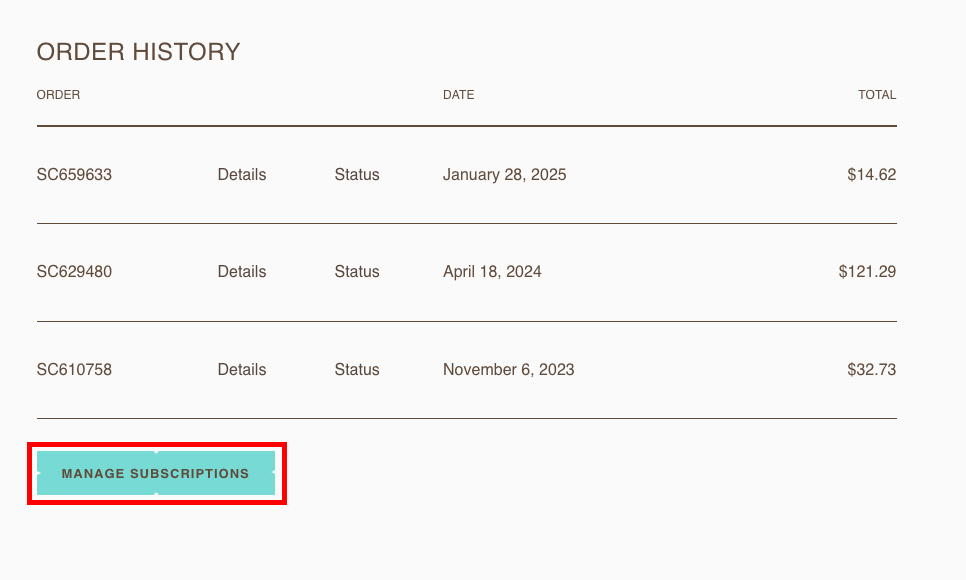
To cancel your subscription(s)*, log into your account on our website, and select ‘MANAGE SUBSCRIPTIONS’
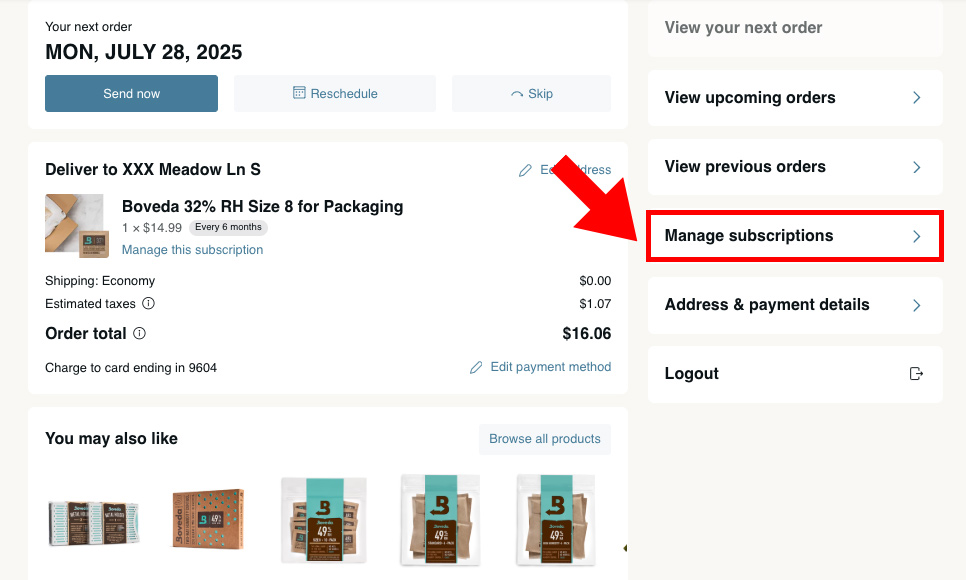
Select ‘Manage subscriptions’ from the sidebar
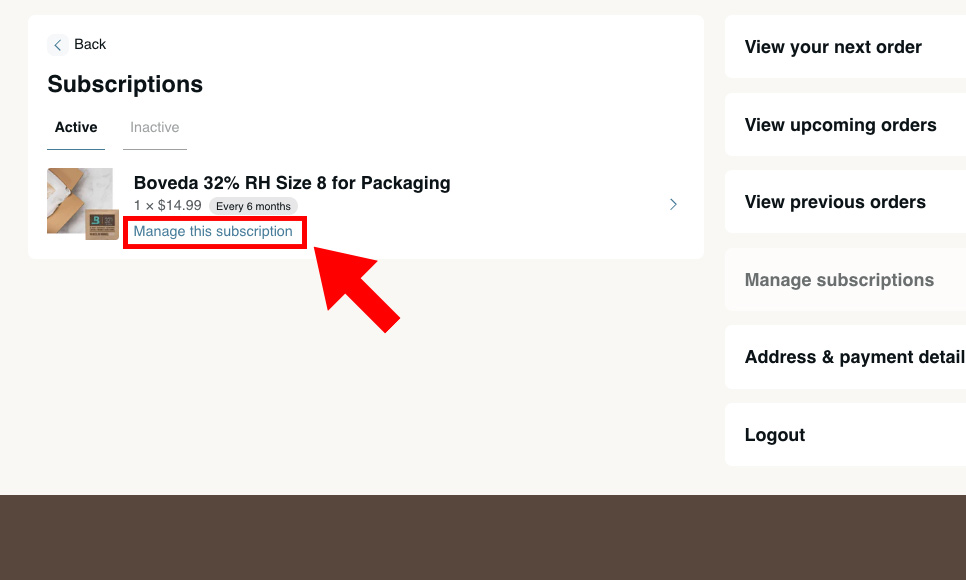
Individual products must be selected and canceled individually by clicking ‘Manage this subscription’
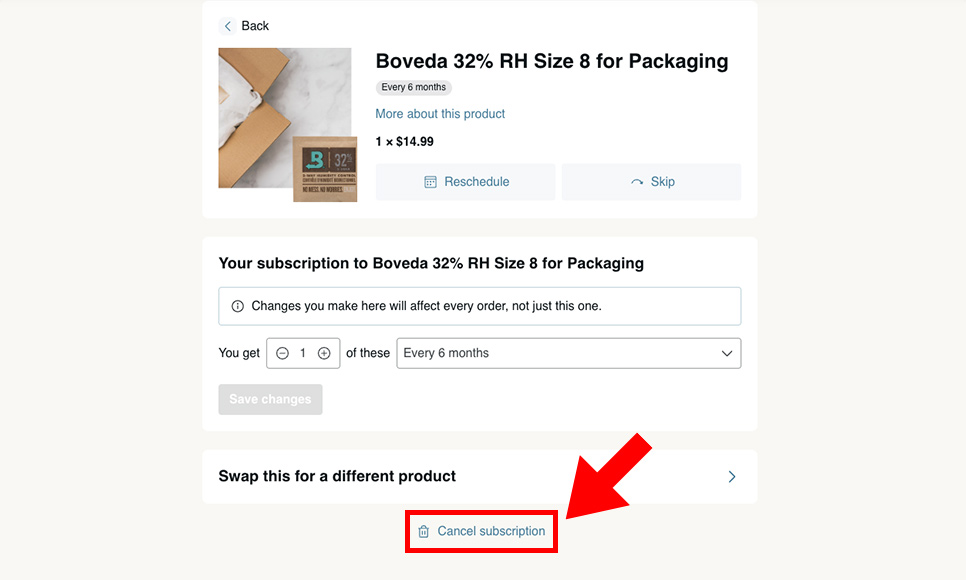
To cancel your subscription orders, scroll to the bottom of your subscriptions page and select ‘Cancel subscription’
*“Boveda® Official Site” provides a subscription service. By subscribing to our service, you have confirmed that you accept our Terms of Service. Your subscription will automatically renew on a recurring basis at which time your credit card will be charged automatically for the subscription products until you cancel your subscription. Taxes and shipping fees may apply. You may cancel your subscription at any time from the Subscriptions section of your account.